Capture anything.
Upload nothing.
ClarShot takes full-page screenshots and screen recordings in Chrome and keeps them on your device. No account, no watermark, no time limits, no network requests.
Free · Chrome, Edge, Brave · Works offline
Three ways to capture, one key each
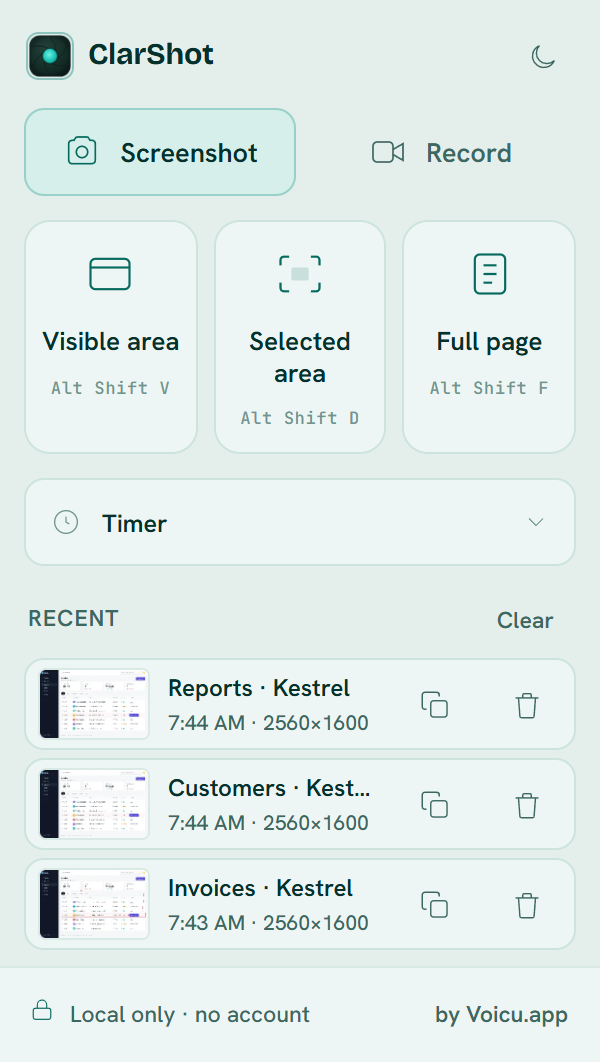
Click the toolbar icon or press a shortcut. The capture opens in the editor a moment later.
- Visible areaAlt Shift V
- Selected area, pixel-exact on high-DPI screensAlt Shift D
- Full page, including sticky headers and lazy-loaded images. Stop early and keep what you have.Alt Shift F
- Timer, for menus and hover states that vanish on click
- Recent, the last 10 images you saved or copied, kept on your device until you remove them
Annotate, then hide what's private
Eight tools and no learning curve. Blur and pixelate are burned into the exported file, not layered on top.
- Arrow, rectangle, ellipse, highlighter, text, step numbers
- Blur or pixelate a region, then crop the result
- Export PNG, JPEG, WebP or PDF, or copy to the clipboard
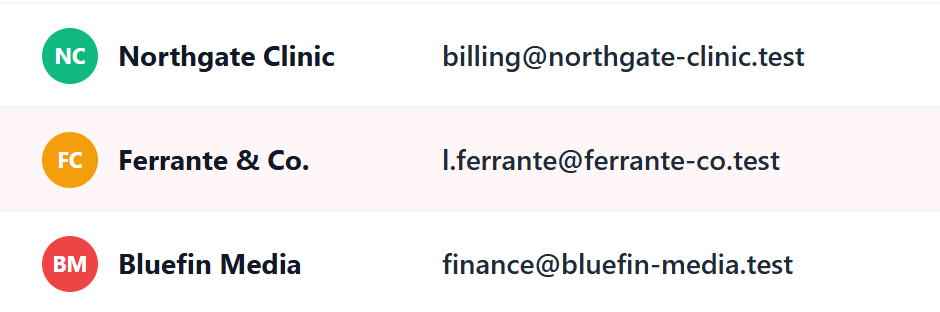
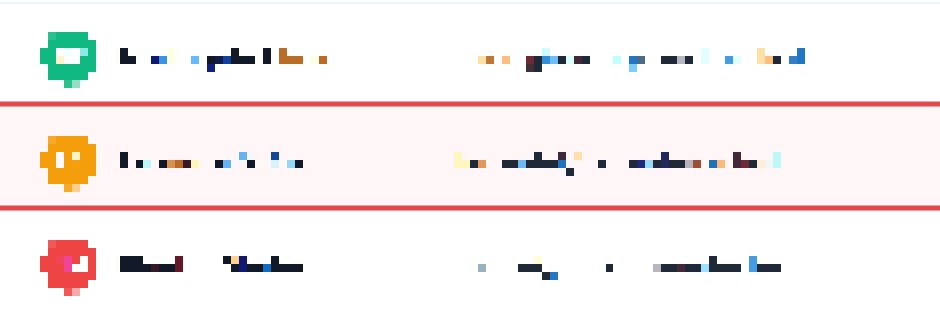
Top as captured, bottom as exported. The pixels are gone from the file, not just hidden.
Record for as long as you need
A tab, a window or the whole screen, with microphone and tab audio. A small control bar floats above everything while you record.
- Camera bubble in a corner, or record just your camera
- MP4 where your device supports it, WebM everywhere
- No time limit. Free disk space is the only cap.
- Start from anywhereAlt Shift S

Recording a tab. The control bar is a real window, always on top, and it is not part of the recording.
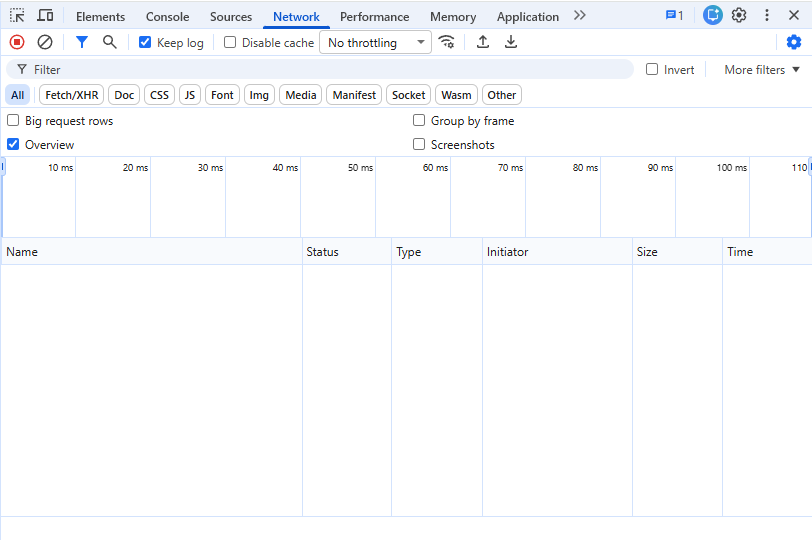
In free mode, we cannot see anything.
ClarShot makes no network requests. Not few: none. There is no account, no telemetry, no analytics, no crash reporter. Screen captures can contain client data, messages, medical records. A capture tool has no business seeing them, so we built one that can't.
- 1Open a capture in the editor, press F12 and pick the Network tab.
- 2Clear the list, then annotate, download, copy.
- 3The list stays empty. That is the whole proof.
Six permissions, each explained
This is the list Chrome shows at install. What is not on it matters most: "Read and change all your data on all websites".
activeTabCaptures the tab you are looking at. Only when you click ClarShot or press a shortcut, and only that tab.
scriptingDraws the selection overlay and scrolls the page for full-page capture. On demand, in the current tab, removed when done.
tabCaptureRecords the current tab's video and audio. Only when you start a tab recording.
offscreenRuns the recording pipeline in a hidden page. Chrome's Manifest V3 requires it.
downloadsSaves exports to your Downloads folder. When you click Download.
storageKeeps settings and captures in your browser. Locally. Never synced, never sent.
Pricing principles
Everything ClarShot does today is free, and stays free. Pro comes later: it will make your captures and recordings look professional, it will run on your device like everything else, and it will cost $29 once, all updates included. Never a subscription for anything that runs locally. Read the five rules.
Questions
Is it really free?
Yes. Capture, record, annotate and export are free, with no watermark and no time limit, and that stays free. Optional paid features may come later; the local tool you install today does not lose anything.
How do you make money?
Not from the free extension. Pro comes later, as a one-time $29 purchase for presentation and video polish, under the pricing principles: nothing that is free today is ever paywalled, you get 60 days' notice before anything costs money, and there is no subscription for anything that runs on your device.
Does it work offline?
Yes. There is no server in the loop, so capture, annotation and export work with Wi-Fi off.
Where do my files go?
Exports go to your Downloads folder or to your clipboard. The last 10 images you saved or copied stay in the popup's Recent list, on this device, until you remove them. A capture you closed without exporting is not kept. We never receive a copy of anything.
Is it open source?
Not yet. You don't need the source to verify the promise: open DevTools, capture something, and watch the Network tab stay empty. Publishing the core later is on the table.
Who builds this?
Voicu.app, a small independent studio in Cluj, Romania. Company details are on the Legal page, and support@clarshot.com reaches a person.
Capture anything. Upload nothing.
Free. Nothing leaves your browser.
Chrome, Edge, Brave · Works offline